
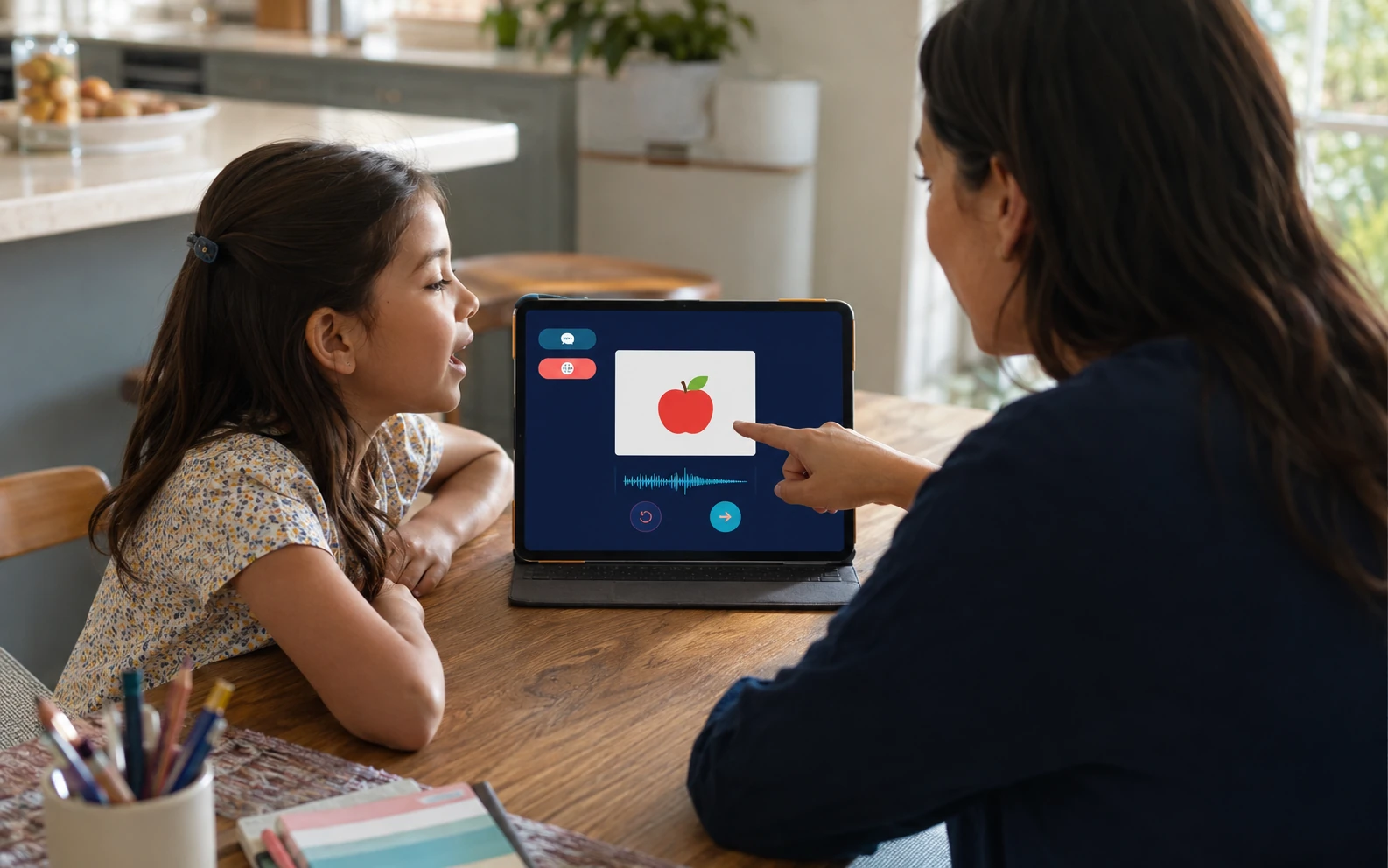
Build a small, private browser tool that lets a child and trusted adult listen to useful family words, switch languages, and take turns without scores or pressure.
This tool is not a language teacher, assessment, therapy product, or substitute for a qualified professional. The caregiver chooses the content, stays present, controls recordings, and decides when to stop.
Your finished result
You will create 6 to 10 cards based on real routines, a simple child view, an adult area for reviewed audio, local-first storage, export and deletion, and an optional offline-ready app shell. There are no grades, streaks, or promised outcomes.
Start with fictional content. Add family media only after the prototype passes the checks in this guide.
1. Write a 5-minute family brief
Multilingual experience differs across people, places, and activities. ASHA encourages families to talk, sing, play, and read in languages they are comfortable using. Your routines are a better starting point than a generic curriculum.
| Decide | Write down |
|---|---|
| Languages | Languages or varieties your family naturally uses |
| Moment | One routine such as meals, play, or getting ready |
| Interaction | Listen, point, imitate, choose, or take turns |
| Access | Hearing, vision, motor, sensory, or device needs |
| Stop signal | How this child shows refusal, fatigue, or frustration |
| Data boundary | What may stay on this device and what must never leave it |
Use this outcome: “A child and trusted adult enjoy low-pressure listening and turn-taking with familiar words, using a tool the adult can control and delete.” If a feature does not support it, leave it out.
2. Choose the first cards
Choose 6 to 10 concepts from one routine. This is a prototype limit, not a developmental prescription. Include a greeting, person, object, action, choice, or transition the family already uses.
| Card field | Rule |
|---|---|
| ID | Use card-001, not a child's name |
| Visual | Use a licensed illustration or adult-selected local image |
| Language | Name the language or variety as the family does |
| Text | Add adult-facing spelling or transliteration if useful |
| Audio | Add one reviewed clip or selected device voice per language |
| Review | Mark draft, reviewed, or replace |
Ask a fluent family or community member to check unfamiliar pronunciation, meaning, formality, and cultural fit. AI may organize candidates, but it should not decide what is correct for a language variety.
3. Set privacy defaults
Voice, names, photographs, and observations about a child can be sensitive. UNICEF's Guidance on AI and Children 3.0, published in December 2025 emphasizes privacy, safety, transparency, inclusion, accountability, and human oversight.
| Data | Safe default |
|---|---|
| Child name and photo | Do not collect |
| Child voice | Do not record in version one |
| Adult family voice | Store locally only after the speaker agrees |
| Activity | Off by default; if enabled, keep only neutral events |
| Analytics and cloud sync | Off and absent from version one |
The adult area needs a simple adult gate to prevent accidental changes. Explain that it is not strong authentication. Show what is stored, offer export, and make Delete all family data easy to find but deliberate to confirm.
Local storage reduces routine sharing, but it is not permanent. Browser data can be cleared or evicted, and anyone using an unlocked device may reach it. Back up important adult recordings somewhere the adult controls.
4. Pick an audio path
| Option | Use it when | Watch for |
|---|---|---|
| Adult recording | Family-specific pronunciation matters | Format support and permission denial |
| Imported reviewed file | Predictable playback matters | Permission to use the file |
| Device text-to-speech | You need a temporary draft | Voice, pronunciation, and offline support vary |
Browser recording can use getUserMedia() and MediaRecorder. Microphone access normally requires a secure context such as HTTPS and explicit permission. Detect missing support and offer file import. An adult must audition device voices before use.
Browser SpeechRecognition has limited cross-browser availability and may use server processing. Child-speech research also reports challenges related to data, pronunciation variability, and linguistic diversity. This guide does not use speech recognition to decide whether a child is correct. The child view has no microphone or score.
5. Keep the interface simple
The child view shows one approved image and large controls for Listen, Again, language, Previous, Next, and Stop. It never autoplays or requests the microphone. A child may listen, gesture, speak in any language, skip, or stop.
The adult view can add, reorder, review, hide, export, and delete cards and audio. Use semantic buttons, visible keyboard focus, generous targets, high contrast, browser zoom support, reduced motion, and adult-facing text for every clip. Do not rely on color alone.
6. Use a realistic architecture
Build a static HTTPS app with semantic HTML, responsive CSS, and small JavaScript modules. Use IndexedDB for cards and audio blobs. Reserve localStorage for small non-sensitive preferences. A service worker can cache the app shell and packaged audio after a successful first load.
Offline-first does not mean every browser feature works offline. Installation, recording formats, storage, and device voices vary. The normal webpage must work when installation is unavailable.
7. Copy the app-building prompt
Replace bracketed fields and paste this into a capable coding assistant. Review generated files before using real family media.
You are a senior front-end engineer and privacy-focused product designer. Build a static progressive web app called [APP NAME] for caregiver-led listening and turn-taking with a young child who is not yet reading.

OUTCOME AND LIMITS
Present one familiar concept at a time, play reviewed audio in [LANGUAGES], switch languages, repeat, and move between cards. The app is not a teacher, tutor, assessment, treatment, or speech-development tool. Never score pronunciation, infer mastery, diagnose, or promise outcomes. The caregiver stays present. The child may listen, point, imitate, respond in any language, skip, or stop without penalty.

TECHNICAL SCOPE
Create complete semantic HTML, responsive CSS, and modular vanilla JavaScript for static HTTPS hosting. Include a web app manifest and versioned service worker. Use no account, server database, analytics, ads, trackers, remote AI, or speech recognition.

CHILD VIEW
Show one approved illustration or local image and large Listen, Again, Previous, Next, language, and Stop controls. Do not autoplay or request microphone access. Show no grades, confidence, streaks, timers, rankings, mastery claims, or corrections. An optional adult-controlled We practiced this action may log only neutral card ID, language, date, and event.

ADULT VIEW AND AUDIO
Place settings behind an adult gate that prevents accidental entry but is not strong authentication. Let the adult add, edit, reorder, hide, archive, and delete cards. Support packaged audio and optional adult recording only inside setup. Explain microphone use before requesting it. Feature-detect getUserMedia, MediaRecorder, and supported MIME types. Show recording state, stop media tracks after use, reject empty clips, and allow preview, discard, replace, export, or save. Never record a child's voice. Offer file import as fallback.

Offer device text-to-speech only as a draft. Load voices, listen for voiceschanged, allow auditioning, and explain that availability, pronunciation, and offline behavior vary. Nothing enters the child view until an adult marks it reviewed by a fluent family or community member.

DATA AND PRIVACY
Use IndexedDB for content and audio. Use localStorage only for small non-sensitive preferences. Default to no child name or photo and use neutral IDs. Provide Export family data, Import reviewed backup with preview, Clear activity, and Delete all family data with confirmation and empty-store verification. Include a plain-language data map. Keep cloud sync, analytics, remote processing, and social sharing off and unimplemented. Require recorded adult speakers to confirm consent. Declining recording, installation, or logging must not block packaged-audio practice.

OFFLINE AND ACCESSIBILITY
Cache the app shell, default content, icons, and packaged audio. Show an honest fallback for uncached requests. Preserve IndexedDB during updates and show a calm update action. Do not claim offline readiness until registration succeeds and an adult completes the airplane-mode test. Use semantic controls, visible focus, generous targets, high contrast, zoom and reduced-motion support, clear names, transcripts, logical dialog focus, and non-interrupting status messages.

CONTENT AND LOGGING
Seed [NUMBER] generic placeholder cards marked Replace before family use. Invent no translations. Logging is optional and off by default. Allowed events are offered, replay requested, practiced, skipped, stopped, and technical error. Never store transcripts or infer emotion, ability, performance, development, or fluency.

DELIVERABLES
Provide a file tree; complete source files without pseudocode; a README covering setup, HTTPS deployment, capability, offline, accessibility, privacy, export, deletion, and rollback tests; DATA-MAP.md; and TEST-PLAN.md. Test denied permissions, missing APIs, unsupported formats, empty voices, first and repeat offline visits, cache updates, low storage, corrupt imports, keyboard use, reduced motion, accidental gate entry, and delete-all.

ACCEPTANCE
The child view never requests microphone access. During the repeat-visit airplane-mode test, the app makes no third-party requests and no unexpected application requests. Deliberate adult navigation outside the app is excluded. Packaged audio works. Optional permissions can be declined. No screen evaluates a child. Export includes all family data. Delete all removes only this app's IndexedDB records, preferences, cached family assets, and object URLs. Every missing capability has a plain-language fallback.

Before coding, restate the architecture, privacy boundary, and browser limits. Then provide the implementation and test evidence. Identify any requirement a static browser app cannot meet instead of simulating success.
8. Review generated code
The prompt is a specification, not a security certification. With fictional data, inspect network requests, permissions, exports, imports, and deletion. If you cannot review code, ask a qualified developer before using family media.
If you use GitHub Pages, keep family assets out of the repository and confirm HTTPS.
9. Test the prototype
- [ ] Touch and keyboard controls work, focus is visible, and audio never autoplays.
- [ ] Language switching changes reviewed audio and the adult-facing label.
- [ ] Stop ends the activity immediately.
- [ ] The child view never asks for microphone access.
- [ ] Missing recorder support leaves import and packaged audio available.
- [ ] Export is readable; import previews changes; deletion removes only this app's data.
- [ ] No unapproved analytics, image, AI, or speech requests appear.
- [ ] No real family media exists in source control or public hosting files.
Airplane-mode test
- Visit the HTTPS app online and confirm required files are cached.
- Close every app tab, enable airplane mode, and reopen the app.
- Play all packaged test audio and, if supported, replay a local adult test clip.
- Refresh and reopen. Confirm no third-party requests and no unexpected application requests. Deliberate adult navigation outside the app does not count.
- Record device, browser, app version, and a passed, partial, or failed result.
A first offline visit cannot fetch uncached files. Do not promise offline use on an untested device.
10. Use the tool with a child
AAP guidance emphasizes media quality, context, conversation, co-use, and family routines. WHO guidance places sedentary screen use within the wider need for movement and sleep.
Invite a choice, play one reviewed clip, connect it to the room, follow the child's response, then offer Again, Next, or Stop equally. There is no required duration or daily quota. One card can be enough. Move off-screen when the word becomes part of play or conversation.
11. Copy the weekly planning prompt
Remove names, recordings, photos, exact locations, medical or school information, and other identifying details first.
Act as a family routine planner, not a teacher, clinician, evaluator, or developmental expert. Draft a flexible one-week plan for caregiver-led listening and turn-taking with familiar words in our family's languages.

CONTEXT
Languages or varieties: [GENERAL LABELS]
Calm everyday moments: [ROUTINES]
Concepts reviewed by fluent family or community members: [CONCEPTS]
Reviewed audio: [FAMILY RECORDINGS, IMPORTED AUDIO, DEVICE VOICES, OR MIX]
General access or device needs: [NON-IDENTIFYING INFORMATION]
Neutral observations: [CHOICES, REPLAYS, SKIPS, STOPS]
Technical problems: [ERRORS]
General availability: [WINDOWS WITHOUT PRIVATE CALENDAR DETAILS]

BOUNDARIES
Do not infer ability, delay, fluency, comprehension, pronunciation quality, emotion, or mastery. Do not diagnose, recommend treatment, predict outcomes, prescribe a developmental timeline, compare the child, or suggest pressure, correction, compliance rewards, or streaks. Treat listening, gesturing, silence, repeating, changing language, and stopping as valid. If I report a concern, recommend a qualified professional only in general terms and do not analyze it.

PLAN
Keep participation optional, caregiver-led, easy to stop, connected to real routines, and mostly off-screen. Rotate a small set. Include a low-energy choice, no-screen alternative, and device-failure fallback. Invent no translations. Mark every new concept Needs fluent review. Ask for no names, voice samples, photos, health history, school records, exact location, or identifying details.

OUTPUT
Provide a one-sentence intention; a compact table of flexible windows, context, 2 card choices, off-screen connection, and stop option; an adult preparation checklist; cards to keep, pause, or review based only on family fit and technical quality; one offline alternative per moment; 3 non-judgmental review questions; and confirmation that no additional child data is needed.

Use calm, plain language and make no claim that the plan will produce a learning or developmental outcome.
Remove invented translations, rigid schedules, performance labels, or medical interpretations from the response.
12. Review family fit, not ability
| Ask | Use the answer to |
|---|---|
| Which cards were chosen or replayed? | Improve access and audio clarity |
| When was Stop used? | Shorten or move the activity without labeling the child |
| Did a card lead to play? | Keep the related object nearby |
| Was setup burdensome? | Remove features or reduce the set |
| Did audio or offline use fail? | Fix it or use family speech and printed cards |
| Was unnecessary data stored? | Remove the field or integration |
If a log does not change a practical decision, turn it off and delete it.
13. Troubleshoot safely
| Problem | Response |
|---|---|
| Microphone unavailable | Check HTTPS and permission, or import reviewed audio |
| Recording will not play | Detect formats, reject empty data, or import a file |
| Device voice sounds wrong | Remove it and use reviewed audio |
| App will not install | Use the normal HTTPS page |
| Audio fails offline | Fix the cache list or package a reviewed file |
| Family data disappears | Restore a reviewed export and explain storage limits |
| Child wants to stop | Stop and return to ordinary family activity |
14. Know the boundary
Language use varies across contexts, and mixing languages can be part of multilingual communication. This app should not score or eliminate it. The app cannot assess milestones. ASHA states that milestone information is not a screening or diagnostic tool.
If you have concerns about speech, language, hearing, interaction, or development, share observations across languages and settings with a qualified professional. Do not upload a child's private recordings to a general AI service for diagnosis.
15. Take the next step
Create 6 fictional cards and test playback, privacy, export, deletion, accessibility, and offline behavior. Add reviewed family content only after those paths work.
Explore the NEXAIUM Free Guides or continue with the Three-Step AI Workflow.
Sources and further reading
- ASHA: Learning More Than One Language, Communication Milestones, and Multilingual Service Delivery.
- American Academy of Pediatrics: Helping Kids Thrive in a Digital World and Co-viewing Tips.
- WHO: Guidelines for Children Under 5.
- UNICEF: Guidance on AI and Children 3.0, December 2025.
- MDN on `getUserMedia()`, `MediaRecorder`, `SpeechRecognition`, `SpeechSynthesis`, service workers, PWA installation, IndexedDB, and `localStorage`.
- GitHub Pages documentation.
- Horii et al., “Why is children's ASR so difficult? Analyzing children's phonological error patterns using SSL-based phoneme recognizers,” Interspeech 2025.
- Zhang et al., “Improving child speech recognition with augmented child-like speech,” Interspeech 2024.
Sources reviewed September 4, 2026. Browser support changes, so recheck compatibility before implementation.