
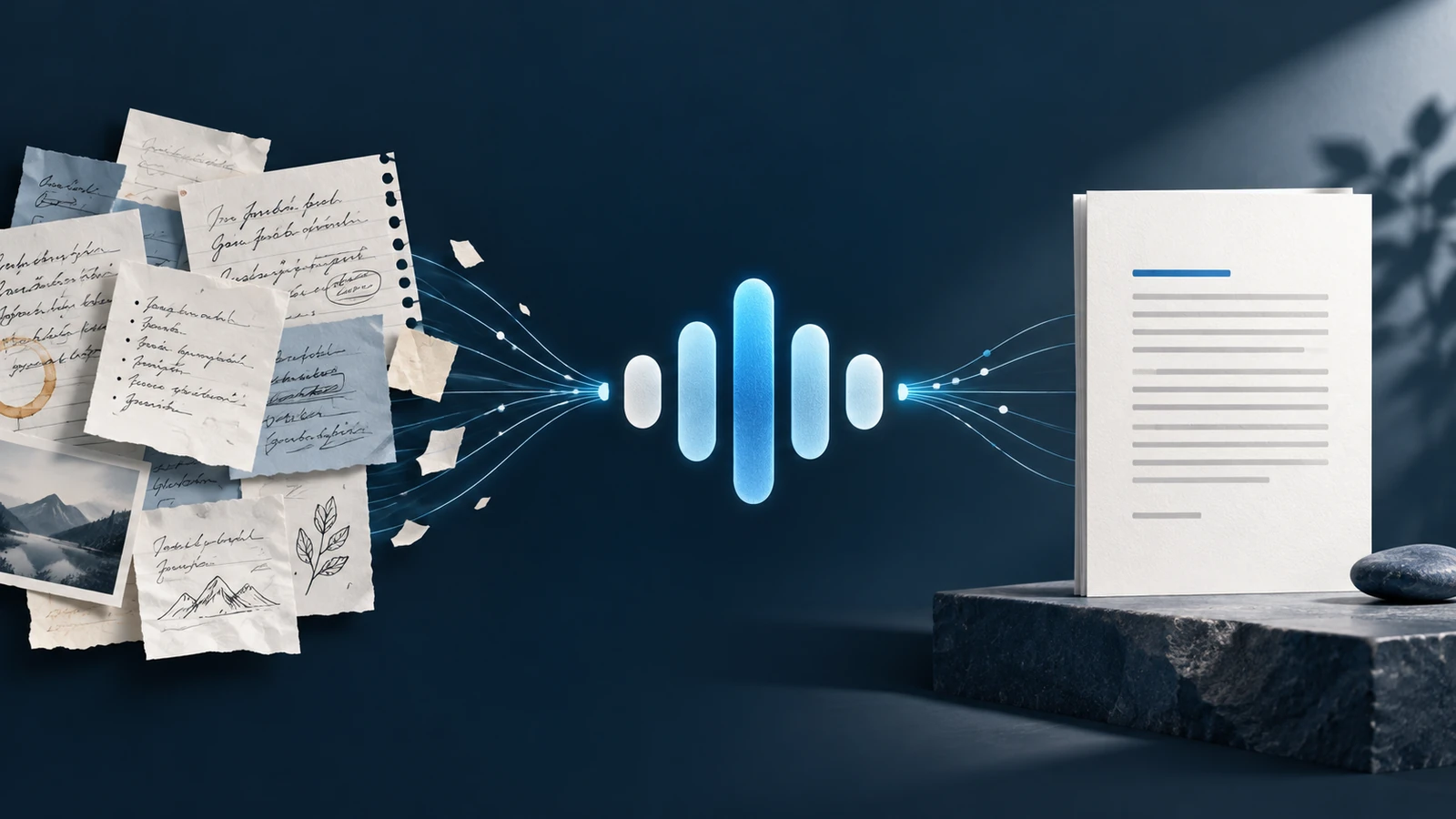
Most generic AI writing starts with generic instructions: sound confident, clear, engaging, and professional. Those words can describe thousands of voices. They do not explain how you open, pace an argument, choose examples, handle emotion, or close.
This guide turns evidence from your writing into 2 reusable assets:
- A personal writing style guide file grounded in examples you actually wrote.
- An instruction block for an AI writing assistant that knows when to interview you and when to start drafting.
The goal is not perfect imitation. It is a more consistent first draft that gives you recognizable material to edit.
The system at a glance
The process turns your existing writing into a tested assistant through 6 visible handoffs:
The key handoff is evidence to rules. Do not build the assistant from broad adjectives when your own samples can show the behavior more precisely.
What you will build
Asset A: your writing style guide
A clean reference file that documents:
- non-negotiable voice rules
- flexible preferences
- an authentic example for every rule
- a short explanation of why the pattern works
- a counterexample showing what to avoid
- content-type and audience boundaries
Asset B: your assistant instruction block
A reusable instruction set that defines:
- the assistant's writing role
- how it should use your style guide
- when to ask one question at a time
- when to skip the interview and draft immediately
- how to handle missing evidence and conflicting rules
- how to review its draft before returning it
Prerequisites
Prepare the following before you begin:
- 5 to 10 pieces you wrote yourself
- samples from one content type, such as newsletters, LinkedIn posts, essays, or client emails
- enough text to show repeated patterns, not one exceptional piece
- permission to use every sample
- a plain text or Markdown file for the finished style guide
- access to an AI assistant with a sufficiently large input limit for your samples
Remove confidential, personal, client, financial, health, access, and account information before uploading anything. Replace sensitive details with consistent placeholders such as [CLIENT], [PRODUCT], or [DATE].
Do not combine unrelated formats in the first pass. A sales email and a reflective essay may both be yours, but they solve different communication problems. Build one evidence set per content type.
Step 1: assemble a clean sample set
Choose 5 to 10 examples that represent the writing you want to repeat.
Include ordinary, successful work rather than only your most polished piece. The assistant needs recurring behavior, not a highlight reel.
Label each sample:
SAMPLE 1
Content type: [newsletter / post / email / article]
Audience: [who it was written for]
Purpose: [what the writing needed to achieve]
Text:
[PASTE YOUR SANITIZED SAMPLE]
Before analysis, check that:
- all samples belong to the same content type
- you wrote or substantially shaped the language
- copied quotations are clearly marked
- private details have been removed
- formatting such as line breaks and headings is preserved
Step 2: extract the writing patterns
Ask the AI to analyze how the samples are written, not what topics they cover.
The analysis should examine:
- sentence length and rhythm
- paragraph length and spacing
- punctuation habits
- openings and engagement patterns
- vocabulary and recurring phrases
- tone and level of directness
- point of view and relationship with the reader
- emotional range and restraint
- transitions between ideas
- overall structure and closing patterns
Use the first prompt with your complete sample set.
Prompt 1: style extraction
You are analyzing a set of writing samples to identify repeatable style patterns.

Your task is to study how the writing works, not to summarize its subject matter and not to imitate isolated phrases.

Material:
<samples>
[PASTE 5 TO 10 LABELED, SANITIZED SAMPLES FROM ONE CONTENT TYPE]
</samples>

Content type: [CONTENT TYPE]
Typical audience: [AUDIENCE]
Typical purpose: [PURPOSE]

Analyze only patterns supported by more than one sample, unless you clearly label an observation as tentative.

Review these dimensions:
1. Sentence length, variation, and rhythm
2. Paragraph length, spacing, and visual pacing
3. Punctuation and formatting habits
4. Opening moves and methods of earning attention
5. Vocabulary level, repeated words, and recurring phrases
6. Tone, confidence, warmth, humor, and directness
7. Point of view and how the writer relates to the reader
8. Emotional patterns, including where emotion is restrained or emphasized
9. Transitions between claims, examples, questions, and conclusions
10. Structure, progression, and closing behavior

For each supported pattern, return:
- Pattern name
- Observation
- Evidence from at least 2 sample locations
- Confidence: high, medium, or tentative
- Boundary: when the pattern may not apply

Do not invent preferences. Do not treat the topic, brand names, quoted material, or one unusual sentence as a style rule. If the evidence is mixed, describe the variation instead of forcing one rule.
Step 3: turn observations into usable rules
An observation such as “the writing is conversational” is too loose to guide a draft. Convert it into an instruction that can be checked.
A useful rule includes 4 parts:
- Rule: the behavior to repeat.
- Authentic example: a short excerpt from your samples.
- Why it works: the effect the behavior creates.
- Avoid: a counterexample that breaks the pattern.
The authentic example must come from your sample set. The counterexample can be newly written because its purpose is to show the wrong direction.
Prompt 2: evidence and counterexample enrichment
Turn the supported observations below into explicit writing rules.

Inputs:
<observations>
[PASTE THE OUTPUT FROM THE STYLE EXTRACTION]
</observations>

<samples>
[PASTE THE SAME LABELED SAMPLES]
</samples>

For every rule:
1. Write one clear instruction that a writer can follow.
2. Quote one short authentic example from the samples and identify its sample number.
3. Explain in one or two sentences why the example supports the rule and what effect it creates.
4. Write one short counterexample that demonstrates what to avoid. Label it as a constructed counterexample.
5. State any content-type or audience boundary.
6. Assign evidence strength: strong, moderate, or tentative.

Keep separate behaviors as separate rules. Do not merge sentence rhythm, tone, structure, and vocabulary into one broad instruction.

Reject any proposed rule that lacks evidence. Preserve valid conflicting evidence by describing the condition under which each pattern appears.

Use this format:

RULE [NUMBER]: [SHORT NAME]
Instruction:
Authentic example:
Source:
Why it works:
Avoid:
Boundary:
Evidence strength:
Step 4: establish the hierarchy
Not every pattern deserves equal force.
Non-negotiable voice rules are strongly evidenced and central to recognition. Flexible preferences are real patterns that may change with purpose, length, or channel.
Ranking is not deletion. Keep every valid, evidenced rule. Place uncertain observations in a review section until more samples confirm them.
Prompt 3: priority and hierarchy
Organize the writing rules below into a practical hierarchy without removing valid evidence.

<rules>
[PASTE THE ENRICHED RULES]
</rules>

Classify each rule as one of the following:

A. Non-negotiable voice rule
Use this only when the pattern is strongly evidenced, distinctive, and expected to apply across most examples of this content type.

B. Flexible preference
Use this when the pattern is supported but depends on audience, purpose, length, mood, or channel.

C. Needs more evidence
Use this when the observation is plausible but inconsistent, weakly supported, or based mainly on one sample.

For every classification, provide a one-sentence rationale tied to the supplied evidence.

Then order the rules within each group by practical importance. Check for conflicts and explain how the assistant should decide when 2 valid rules point in different directions.

Do not invent new rules. Do not delete authentic examples, explanations, counterexamples, boundaries, or evidence ratings. Return the complete rule set in its new hierarchy.
Step 5: create your 2 assets
Asset A template: writing style guide
Save the result as a plain text or Markdown file with a clear name such as writing-style-guide-newsletter.md.
# [NAME OR BRAND] WRITING STYLE GUIDE

Content type: [CONTENT TYPE]
Primary audience: [AUDIENCE]
Primary purpose: [PURPOSE]
Evidence base: [NUMBER] samples reviewed on [DATE]

## Voice summary
[3 to 5 sentences describing the overall effect, grounded in the rules below]

## Non-negotiable voice rules

### Rule 1: [NAME]
Instruction: [EXPLICIT BEHAVIOR]
Authentic example: "[EXCERPT]"
Source: [SAMPLE NUMBER]
Why it works: [SHORT EXPLANATION]
Avoid: "[CONSTRUCTED COUNTEREXAMPLE]"
Boundary: [WHEN THIS MAY CHANGE]

[REPEAT FOR EACH RULE]

## Flexible preferences
[USE THE SAME RULE FORMAT]

## Needs more evidence
[KEEP TENTATIVE OBSERVATIONS HERE]

## Content boundaries
- Do not invent personal stories, results, opinions, or experience.
- Do not copy distinctive phrases unless they appear in the supplied material and fit the new context.
- Ask when audience, purpose, factual basis, or desired action is unclear.

## Final review questions
- Does the opening use a pattern supported by the samples?
- Does the sentence rhythm resemble the authentic examples?
- Are tone and point of view consistent?
- Does the structure fit this content type?
- Does every factual claim come from supplied or verified material?
Prompt 4: assistant instruction generator
Create a reusable system instruction block for an AI writing assistant.

Inputs:
<style_guide>
[PASTE THE COMPLETE WRITING STYLE GUIDE]
</style_guide>

The instruction block must define all of the following:

ROLE
The assistant helps [CREATOR OR TEAM] draft [CONTENT TYPE] for [AUDIENCE]. It uses the attached style guide as the source of truth for voice and writing behavior.

SOURCE DISCIPLINE
The assistant must not invent facts, experiences, opinions, results, customer stories, quotations, or personal details. It must distinguish supplied facts from assumptions and ask for missing factual support.

INTAKE DECISION
If the user supplies a detailed draft, useful outline, transcript, notes, or other sufficient raw material, skip the interview and start writing.

If the raw material is not sufficient, ask one question at a time. Uncover, in this order when relevant:
1. The central point
2. The writer's actual opinion or angle
3. The emotion or tension that should be present
4. The intended audience and context
5. The desired reader outcome or action

Do not ask questions whose answers are already present. Stop interviewing as soon as the material is sufficient to draft.

WRITING PROCESS
Apply non-negotiable rules first. Apply flexible preferences only when they fit the purpose and format. Use authentic examples to understand the rule, not as text to copy. Respect boundaries and preserve intentional variation.

DELIVERY
Return the requested draft without a long preamble. If important information remains unknown, mark the narrow gap instead of inventing it.

SELF-CHECK
Before responding, compare the draft with the non-negotiable rules, the relevant flexible preferences, factual inputs, audience, and desired outcome. Revise any clear mismatch.

IMPROVEMENT
When the user says an output feels wrong, ask what specific passage or behavior failed if it is not already clear. Request or accept a better authentic example. Recommend the exact style-guide rule to revise. Never claim that the guide or instruction file has been updated unless the user explicitly asks for the change and the current system can actually edit that file.

Return only the finished system instruction block. Use clear headings and direct operational language. Do not add claims about automatic learning or self-updating.
Copy the generated instruction block into a separate file such as writing-assistant-instructions.md. Keep it separate from the style guide because the 2 files have different jobs. The guide is evidence. The instruction block defines behavior and workflow.
Worked mini example
Mara Vale is a fictional independent brand strategist. She is building a LinkedIn writing assistant from 7 sanitized posts.
Her sample analysis finds this repeated pattern:
Observation: Mara often opens with a concrete tension in one short sentence, then adds context in a longer second sentence.
Evidence: Supported by Samples 1, 3, 4, 6, and 7.
The enriched rule becomes:
Rule: Open with tension, then explain.

Instruction: Begin with one short sentence that names a practical contradiction or friction. Use the next sentence to explain why it matters.

Authentic example: "More choice did not make the launch easier. It gave the team six directions and no decision rule."

Source: Sample 3

Why it works: The first sentence creates a clear tension. The second turns that tension into a business problem without exaggerating it.

Avoid: "In today's fast-paced world, brands face many challenges and opportunities."

Boundary: For announcements, lead with the news before using this pattern.
Suppose Mara then asks: “Write a post about why a smaller service menu can improve positioning.” She supplies only that topic.
The assistant does not invent her opinion. It begins the interview:
What is the main point you want readers to believe about a smaller service menu?After Mara answers, it asks the next missing question. If she had supplied a detailed outline with her point, examples, audience, and desired action, the assistant would skip the interview and draft immediately.
Set up the reusable assistant
Interfaces and access rules change. The paths below were verified against official documentation on 22 September 2026. Check the linked documentation if your account shows different labels.
ChatGPT custom GPT
Current availability matters. OpenAI states that new GPT creation is not available on personal ChatGPT accounts, including Free, Go, Plus, and Pro. Eligible Business, Enterprise, and Edu workspace users can create or edit GPTs on the web when workspace settings and permissions allow it. Existing GPTs may still be editable where the account remains eligible. OpenAI has also announced a planned transition away from custom GPTs, so keep both assets in portable local files.
If your workspace is eligible:
- Open the GPT builder in the web experience.
- Put the generated behavior and interview workflow in Instructions.
- Upload your writing style guide under Knowledge.
- Add 2 or 3 realistic conversation starters.
- Test all 3 requests in Preview before saving or updating.
Instructions define behavior. Knowledge files provide reference material. Do not rely on the uploaded file to replace clear operating instructions.
Claude Project
Anthropic documents Projects for paid Claude plans.
- Open Projects and create a new project.
- Add the writing style guide to the project's knowledge base using the add-content control.
- Select Set project instructions.
- Paste the assistant instruction block and save the instructions.
- Start a new chat inside the project and run the 3 test requests.
Project knowledge is available across chats in that project. Context from one chat is not automatically shared with another unless it is placed in project knowledge or supported by a separate product memory feature.
Gemini Gem
- Open Gemini on a computer and go to Gems.
- Select New Gem.
- Enter a name and paste the assistant instruction block into the instructions field.
- Under Knowledge, select Add files and upload the style guide.
- Use the preview text box to run the 3 test requests and refine the instructions if needed.
- Select Save.
If you link a file from Google Drive, current Gemini documentation says the Gem uses the latest version of that Drive file. Treat this as linked reference behavior, not proof that the Gem can rewrite the file by itself.
Run the 3-request test
Use the same 3 tests on every platform.
Test 1: insufficient material
Write a [CONTENT TYPE] about why [TOPIC] matters.Expected behavior: the assistant asks one useful question at a time and does not invent your opinion, emotion, example, or desired outcome.
Test 2: sufficient material
Write a [CONTENT TYPE] for [AUDIENCE].

Point: [CENTRAL POINT]
My opinion: [ACTUAL POSITION]
Supporting material: [NOTES, EXAMPLE, OR EVIDENCE]
Desired emotion: [EMOTION]
Desired outcome: [READER ACTION OR UNDERSTANDING]
Length and constraints: [DETAILS]
Expected behavior: the assistant skips unnecessary questions and drafts immediately.
Test 3: style boundary
Write a [CONTENT TYPE] from the material below. Follow the style guide, but do not invent a personal story, customer result, statistic, or quotation.

Material:
[PASTE A SHORT FACTUAL BRIEF]
Expected behavior: the draft follows evidenced style rules while keeping unsupported content out.
Scorecard
Score each item from 0 to 2.
| Criterion | Scoring guidance |
|---|---|
| Intake choice | 0 for the wrong path, 1 for partly appropriate, 2 for interviewing or drafting correctly. |
| Voice rules | 0 when mostly ignored, 1 for mixed application, 2 when non-negotiables are clear. |
| Evidence discipline | 0 when material is invented, 1 for weak assumptions, 2 when only supplied support is used. |
| Structure | 0 for a generic template, 1 when partly recognizable, 2 when evidenced patterns are followed. |
| Edit distance | 0 when a full rewrite is needed, 1 for a useful base, 2 when only light editing is needed. |
A high score does not prove the assistant is permanently accurate. It shows that this version handled these tests well. Keep the tests and rerun them after changing the style guide or instructions.
Improve the system deliberately
When a draft feels wrong, do not respond with “make it sound more like me.” Diagnose the failure.
Use this loop:
- Highlight the exact sentence, opening, transition, or structural choice that failed.
- Name the mismatch, such as rhythm, tone, point of view, vocabulary, emotional intensity, or closing behavior.
- Provide a better authentic example from your writing.
- Decide whether the problem belongs in a non-negotiable rule, flexible preference, boundary, or assistant workflow.
- Update the relevant file yourself, or explicitly ask a system with file-editing permission to make the named change.
- Rerun the 3 test requests.
Standard ChatGPT custom GPTs, Claude Projects, and Gemini Gems should not be described as automatically rewriting their own uploaded style files after feedback. Your corrections can improve the current conversation, but a durable rule change requires an actual edit to the saved guide or instructions.
Optional advanced path
Claude Code or another file-aware agent can store the style guide as a local instruction asset or skill. If the agent has explicit permission to edit that file, you can ask it to apply a specific approved change and review the diff before accepting it.
This is controlled file editing, not automatic self-improvement. Ordinary Claude web Projects do not gain slash commands or autonomous file updates from this setup.
Common mistakes
- Mixing newsletters, sales emails, articles, and social posts in one first-pass sample set
- Using AI-generated drafts as evidence of your natural style
- Describing the voice only with adjectives such as bold, human, or engaging
- Turning one unusual sentence into a permanent rule
- Inventing examples instead of quoting the supplied samples
- Ranking every preference as non-negotiable
- Copying authentic examples into new drafts instead of learning the underlying behavior
- Uploading private material without sanitizing it
- Asking 5 interview questions at once
- Interviewing when the user already supplied enough material
- Assuming one good test proves the system is reliable
- Claiming the assistant learns permanently when no saved file was changed
Finished-state checklist
- You selected 5 to 10 samples from one content type.
- Every sample is yours, authorized, and sanitized.
- The analysis covers all 10 style dimensions.
- Every rule has authentic evidence, an explanation, and a counterexample.
- Strong rules and flexible preferences are separated.
- Conflicting or tentative evidence remains visible.
- The style guide is saved as a clean standalone file.
- The assistant instructions are saved separately.
- The interview asks one question at a time only when needed.
- The assistant does not invent experiences, opinions, facts, or results.
- All 3 test requests have been run and scored.
- The improvement process requires an explicit saved-file edit.
Your next action
Choose one content type and collect 5 representative pieces. Sanitize them, label them, and run Prompt 1. Do not build the assistant until the evidence-based style guide is complete.
Official source note
Setup details were checked on 22 September 2026 against: