
Quick take
AI assistants make it easy to paste first and think later. The safer habit is to decide what the task needs, remove what it does not need, and check the service and account rules before sending anything.
The core rule is simple: if you would not send the exact information to an unknown recipient, do not place it in a general-purpose AI chat.
This guide is general risk-reduction guidance. Your employer, client, contract, regulator, or professional duties may require stricter controls.
The eight categories to keep out
1. Passwords and login codes
Never paste passwords, one-time codes, recovery codes, session cookies, private sign-in links, or authentication secrets.
2. API keys and access tokens
Replace live keys and tokens with placeholders such as [API_KEY]. A secret embedded in code is still a secret.
3. Banking and payment information
Keep card numbers, bank details, payment credentials, unredacted invoices, and account access information out of the chat.
4. Government identification
Do not upload passports, national identity numbers, driver licenses, tax identifiers, immigration records, or scans that contain them.
5. Identifiable health information
Remove names, dates of birth, patient numbers, addresses, appointment details, and combinations of facts that can identify a person. When health information is involved, follow the applicable professional and organizational rules.
6. Customer and employee data
Names, contact details, salaries, performance reviews, support histories, private messages, and account records may be protected by contracts, policies, or law. Use approved systems and the minimum data necessary.
7. Protected or confidential documents
Do not paste material covered by an NDA, legal privilege, a client agreement, an internal classification, or another restriction unless the exact tool and use have been approved.
8. Proprietary code and unreleased plans
Private repositories, security architecture, credentials, pricing plans, patent material, acquisition details, and unreleased roadmaps can expose the organization even when personal data is absent.
Use the minimum necessary test
Before sending, ask five questions:
- What output do I actually need?
- Which facts are necessary for that output?
- Can names and exact identifiers be replaced?
- Is this tool approved for this type of information?
- Would a synthetic example produce the same useful result?
If you do not know whether the material is allowed, stop and ask the responsible privacy, security, legal, or client contact.
The ten-second redaction method
Create a clean working copy. Do not edit the only original.
- Replace people with consistent labels such as Person A or Customer 003.
- Replace companies with labels such as Client X or Supplier Y.
- Remove direct identifiers, contact details, account numbers, exact addresses, and internal IDs.
- Replace secrets with explicit placeholders such as
[REDACTED_TOKEN]. - Use ranges instead of exact amounts when exact precision is not required.
- Remove comments, hidden tabs, revision history, metadata, and embedded attachments when applicable.
- Read the clean copy once before upload.
Redaction must remove the underlying information. A colored box, blur, crop, or transparent shape may leave recoverable content behind.
Redaction worksheet
Original task: [What help do you need?]
Minimum information required: [List only necessary fields]
Direct identifiers removed: [Names, emails, IDs, addresses]
Indirect identifiers reduced: [Dates, rare roles, locations, unique events]
Secrets replaced: [Keys, codes, private links]
Hidden content checked: [Comments, metadata, hidden tabs, revision history]
Synthetic data possible: [Yes or no, and why]
Approval required: [Person, policy, or contract]
Check the service, account, and workspace
Privacy controls differ by provider, account type, workspace, region, and feature. They also change.
Before using real work material:
- Read the current provider privacy and data-control information.
- Check whether the account is personal or organization-managed.
- Review model-improvement, history, memory, sharing, retention, and connected-app settings.
- Confirm the organization’s approved-tool list and contract terms.
- Use the least access and the least data that can complete the task.
Current official references should be linked in a “Check before use” panel:
- OpenAI data use and controls
- OpenAI Temporary Chat
- Anthropic guidance on sensitive data in consumer Claude plans
- Gemini Apps Privacy Hub
Do not turn these links into permanent menu-path instructions. Interface labels can change.
Temporary mode is not permission to share a secret
A temporary or history-limited conversation may reduce some forms of reuse or visibility. It does not make passwords, tokens, payment credentials, identity documents, or restricted records safe to paste. Providers may retain information for safety, security, abuse prevention, or legal reasons under their current policies.
Shared links create another exposure path
Before sharing a conversation:
- Read it from the beginning.
- Remove unnecessary context and attachments.
- Open the recipient view yourself.
- Confirm exactly what is visible.
- Share only with the intended audience.
Deleting the original later should not be treated as an unsend button.
Verify urgent requests through a second channel
Realistic writing, audio, and video are not proof of identity. When a message creates urgency around money, credentials, or personal information:
- Stop.
- Do not use the link or contact detail supplied in the message.
- Open a trusted app, saved number, or official website yourself.
- Confirm the request through that independent channel.
If you already shared something sensitive
Act according to the exposed item:
- Password or login code: change it, revoke active sessions, and review account activity.
- API key or token: revoke and rotate it, then review logs, permissions, and billing.
- Payment information: contact the financial institution through a trusted channel and monitor activity.
- Customer or employee data: notify the responsible privacy or security contact promptly.
- Confidential document or source code: delete where the service allows, preserve the facts needed for incident reporting, and escalate internally.
- Identity or health information: follow the applicable organization and jurisdiction response process.
Do not hide the incident or rely on chat deletion alone. The appropriate response depends on the system, data, contract, and jurisdiction.
The pre-send gate
Send only when every statement is true:
- The tool is approved for this kind of work.
- The input contains no credentials or authentication secrets.
- Unnecessary personal, client, and company data has been removed.
- The remaining detail is the minimum needed.
- You understand who may access, retain, or reuse the data under the current terms and settings.
- A qualified person will review any high-impact output.
If one statement is false or unknown, stop.
Finish line
You are done when you can identify the eight high-risk categories, produce a clean working copy, pass the pre-send gate, and name the first response action for each type of accidental exposure.
Next step
Once your privacy boundaries are clear, build a reusable context setup without storing sensitive details in Set Up AI Once and Get Better Answers.
SEO and card copy
SEO title: Never Paste These 8 Things Into an AI Chat
SEO description: Protect passwords, client data, private records, and confidential work with a practical AI privacy checklist and redaction worksheet.
OG title: The AI Privacy Check to Run Before You Paste
OG description: Learn what to keep out of AI chats, how to redact a working copy, and what to do after accidental exposure.
Card title: Never Paste These 8 Things Into AI
Card summary: Redact sensitive information, check the service, and know what to do if something was exposed.
Card category: AI Safety
Card date: Reviewed September 2026
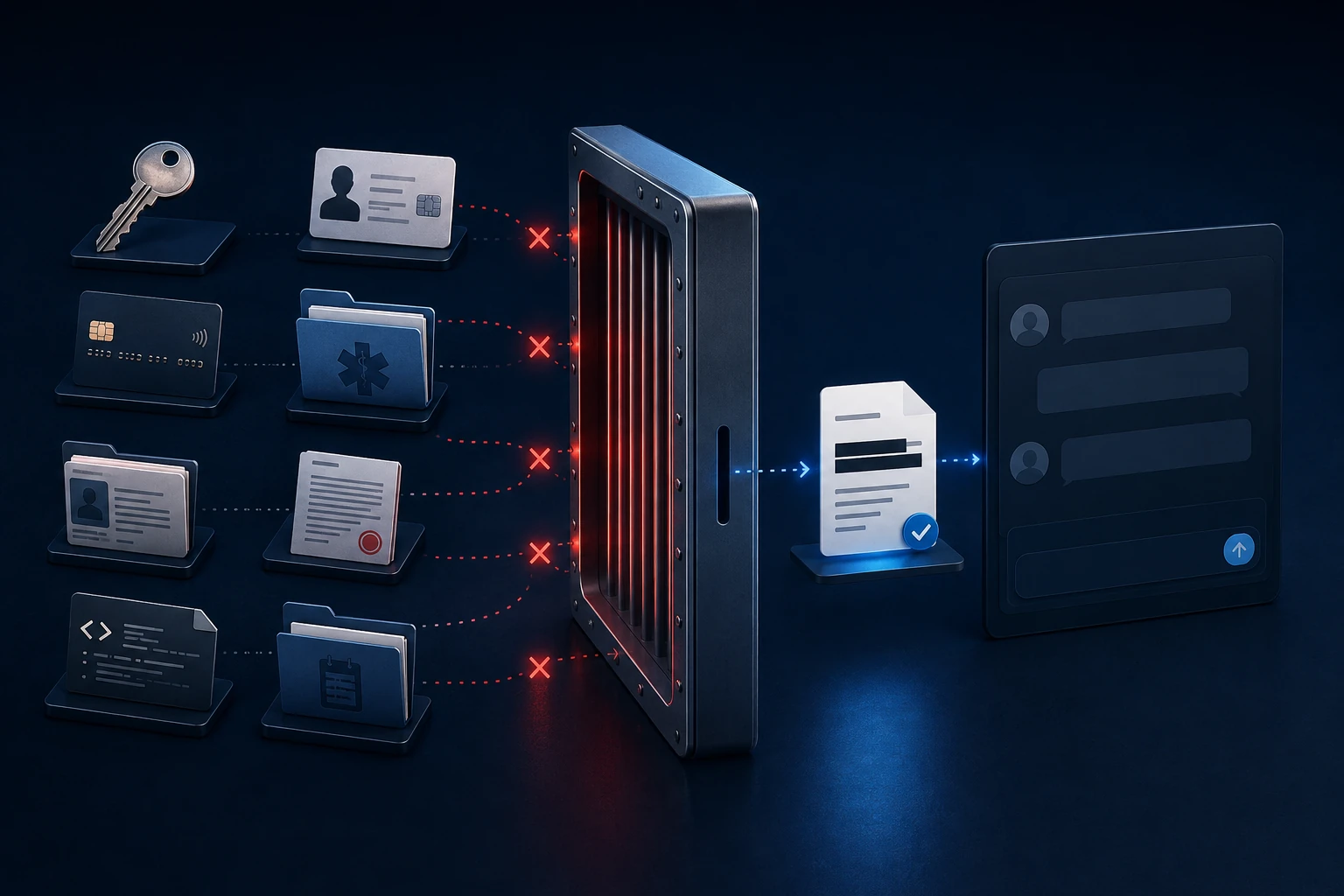
Image brief
Create a restrained editorial safety visual: a document enters a review frame, eight sensitive-data markers are removed, and a clean working copy exits. Use abstract fields and redaction blocks, not real personal information or copied provider interfaces. Palette: #0f273a, #f8f9f9, #58c3f2, #ffffff. No padlock cliché at hero scale, warning siren, hacker silhouette, fear imagery, provider logos, or glowing cyber effects. Suggested alt text: “Sensitive fields are removed before a clean document is sent to an AI assistant.”